Dyson Farming · Agriculture
How we designed Pioneer, the farm enterprise software for Dyson Farming
Dyson Farming commissioned Pioneer to bring several standalone applications into one platform, with up to five permission classes. We designed the whole platform from 2019, and Dyson Farming built it and its teams used it. In 2026, we rebuilt Pioneer as a clickable coded prototype with a more modern interface in the same brand.
- Client
- Dyson Farming
- Sector
- Agriculture
- Our work
- Product and interface design
01
About the project
We designed the whole of Pioneer for Dyson Farming from 2019, in Figma, from the module structure to every screen.
What it is: Pioneer is the enterprise software Dyson Farming commissioned to bring several standalone applications into one platform. From one dashboard, estate teams manage cropping, harvest, finance, trading, natural capital, and admin work for every holding, and the platform supports up to five permission classes.
Outcome: Dyson Farming built Pioneer, and its teams used it. In 2026, we went back to our original designs and rebuilt Pioneer as a clickable coded prototype, with a more modern interface in the same brand.
02
Prototype
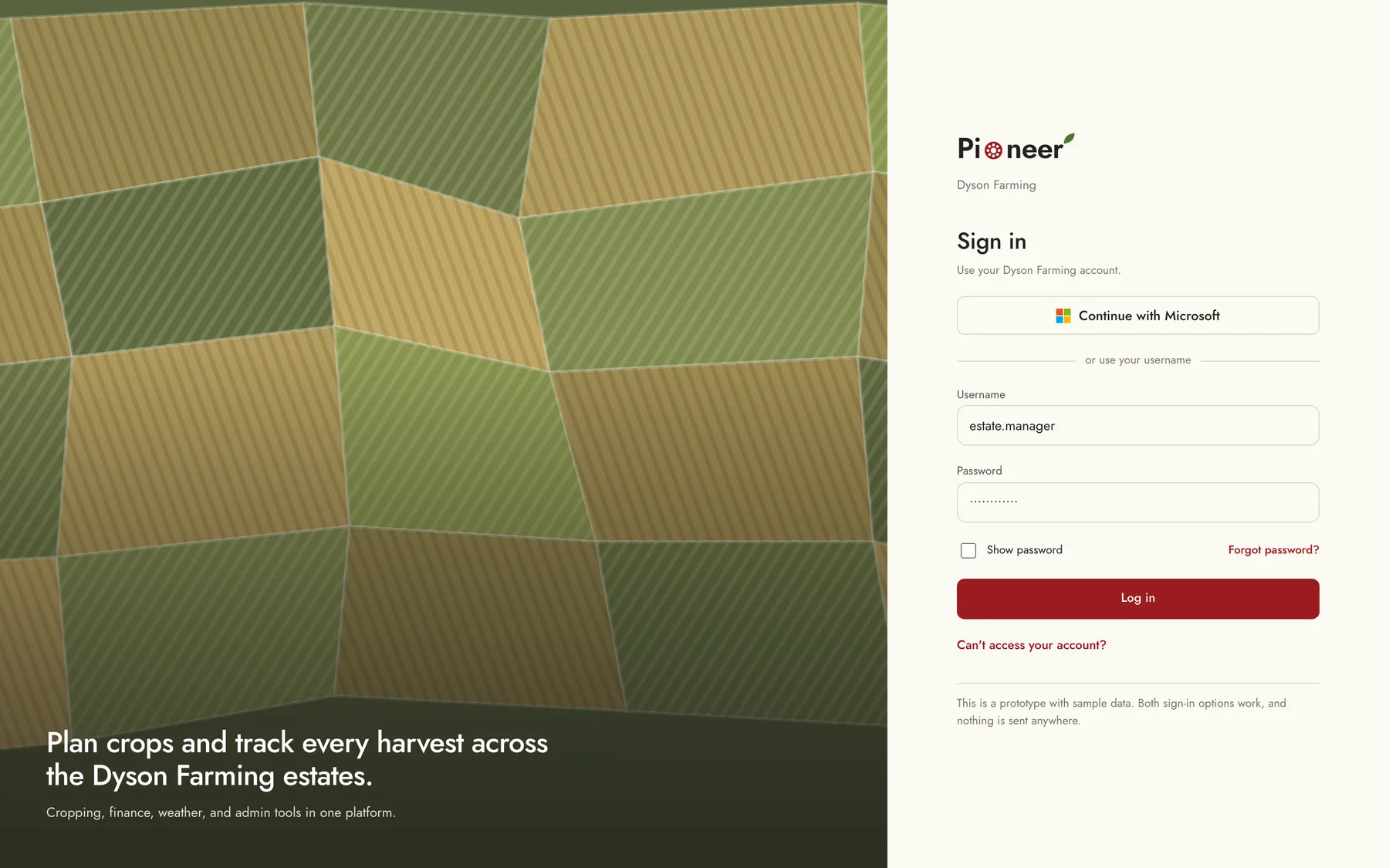
Interactive prototype: You can sign in with either option, choose your default holdings, and then work through the field map, the cropping planner, harvest, finance, weather, and the administration panel.
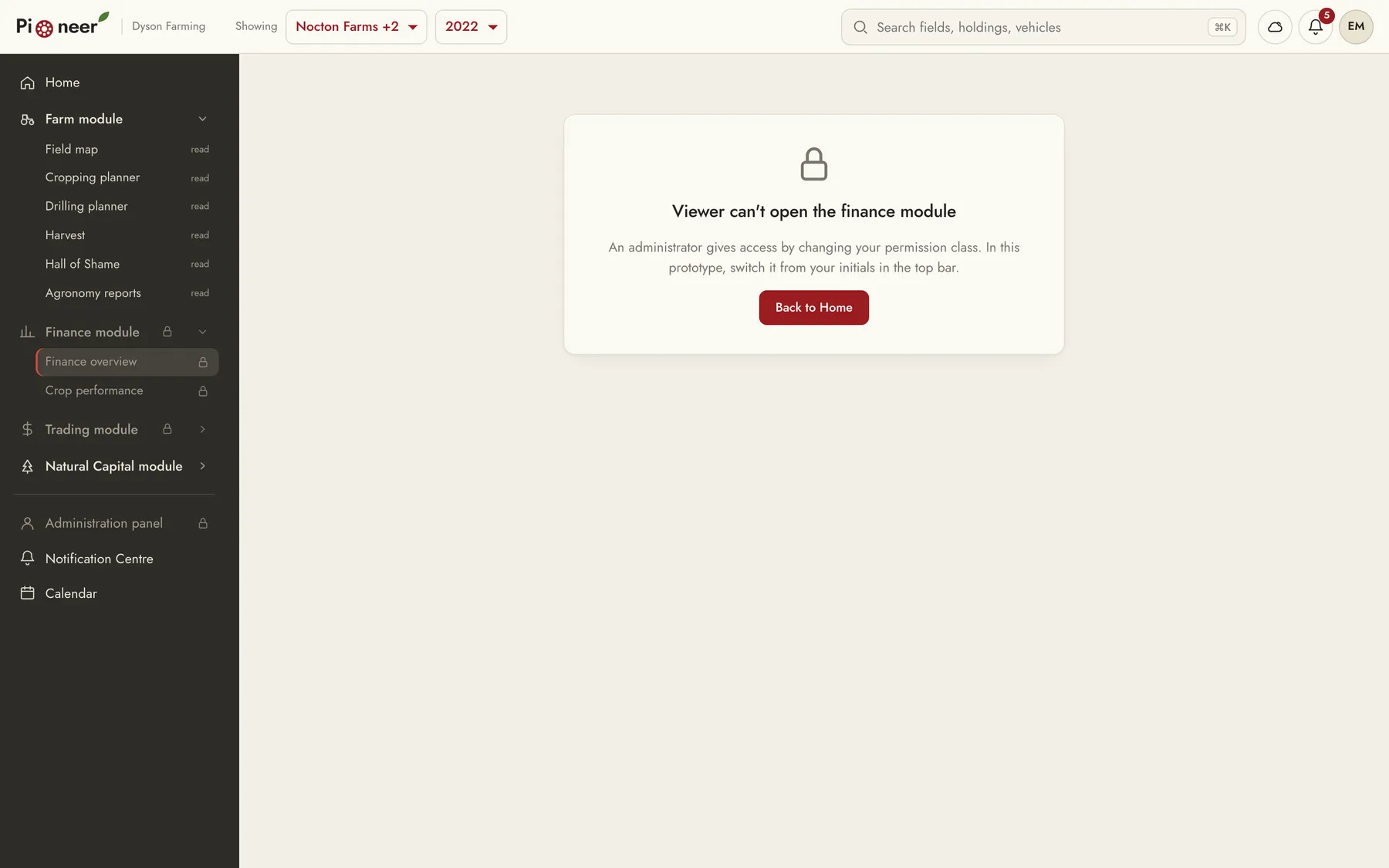
Try this: In the cropping planner, change the 2023 crop for Airfield and save the plan, then open the field map. After that, switch your permission class to Viewer from your initials in the top bar, and you'll see the finance and admin modules lock.
03
The product problem
Before Pioneer, Dyson Farming's farm systems were separate applications. Each one covered one part of the work, so putting together a full picture of one holding meant opening several of them.
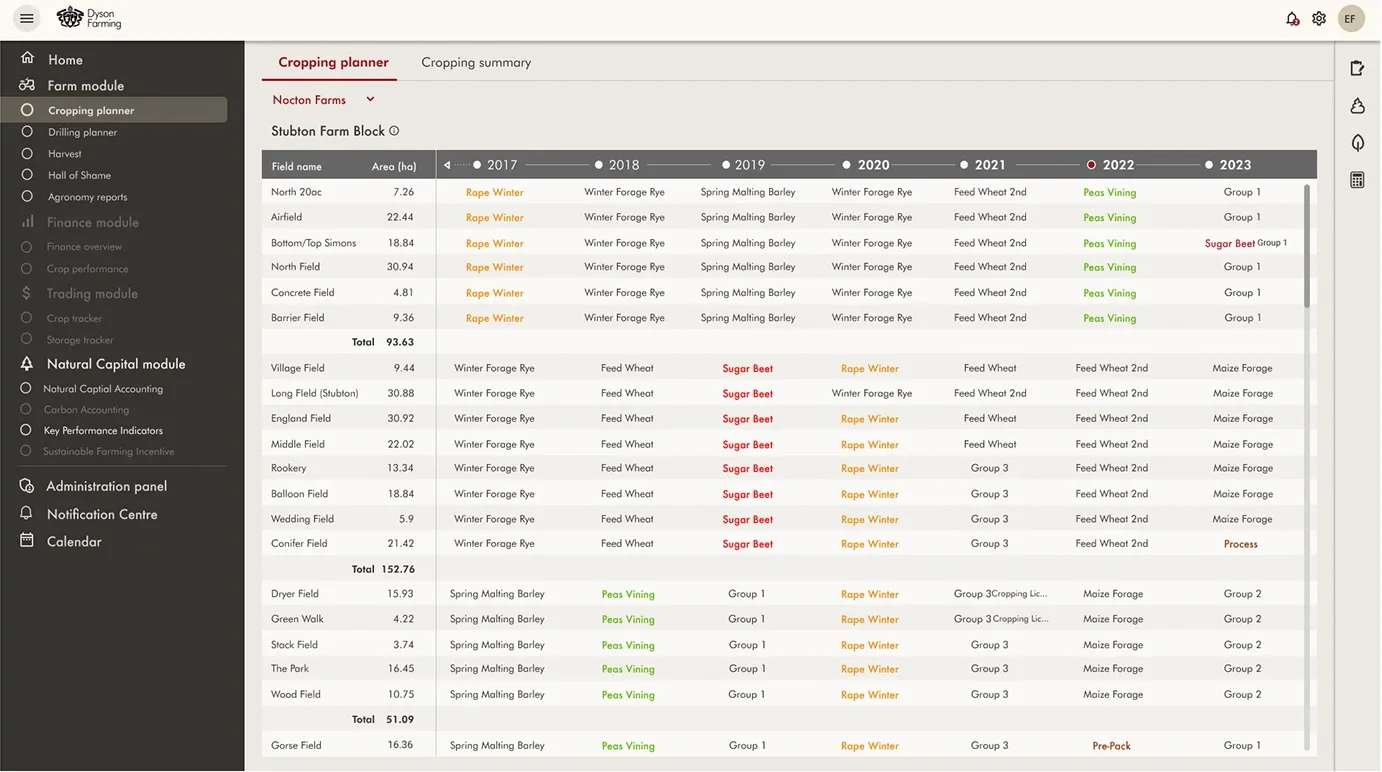
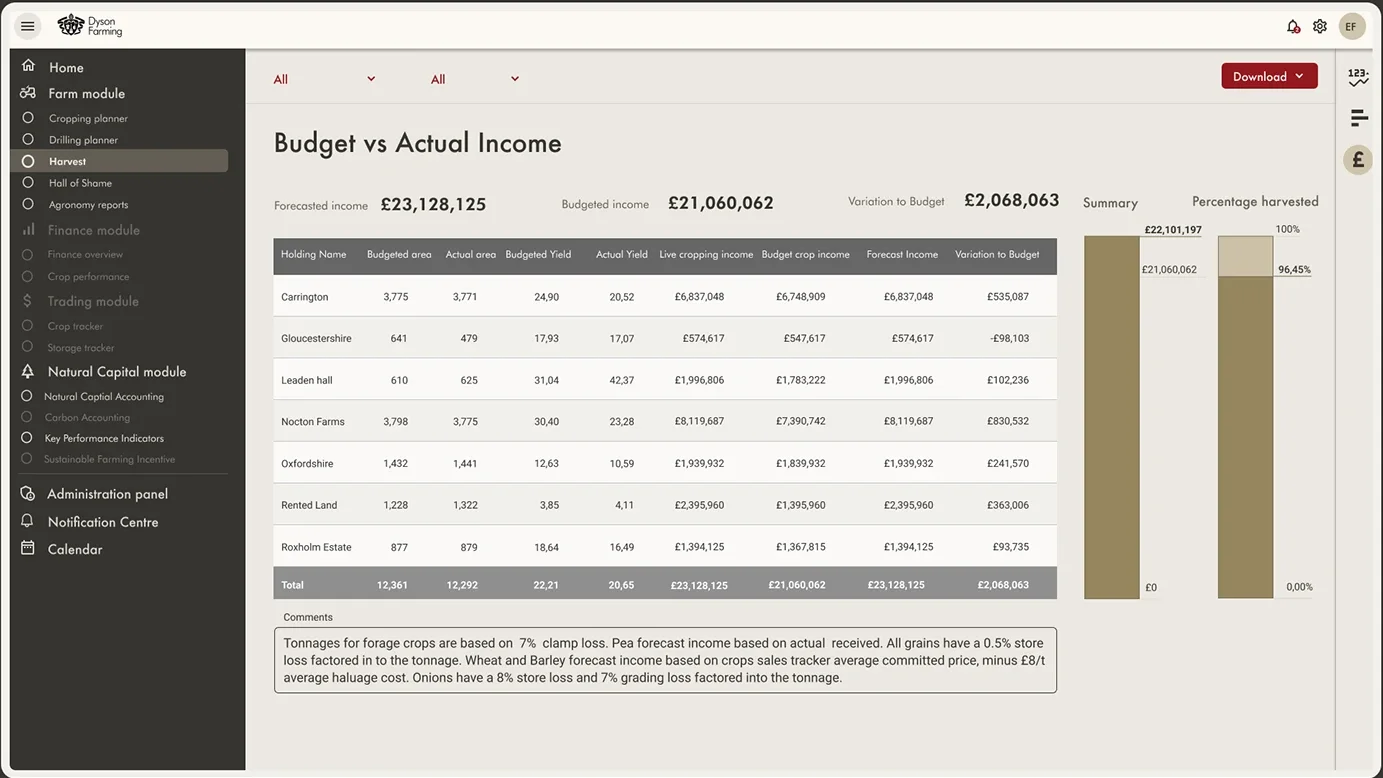
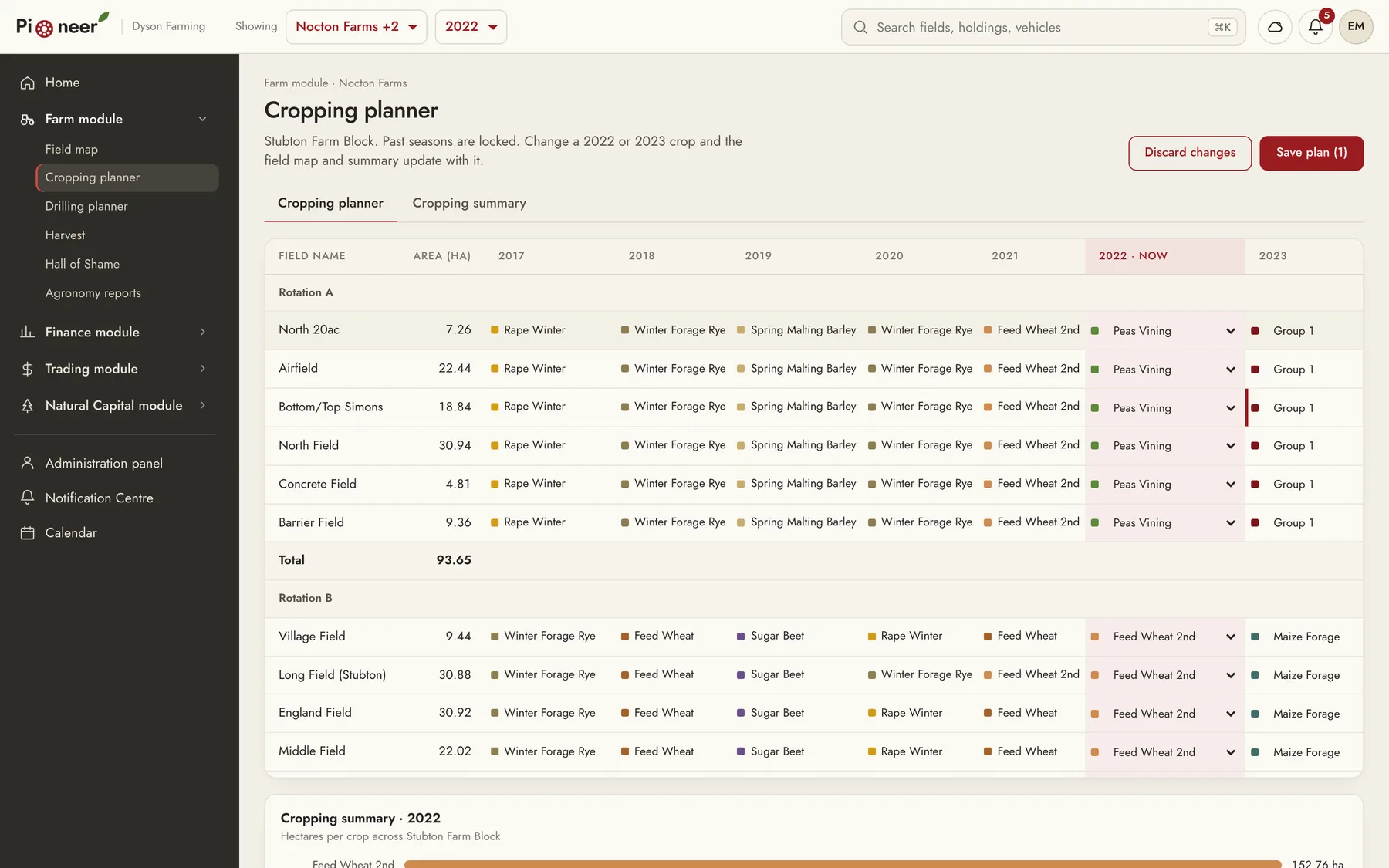
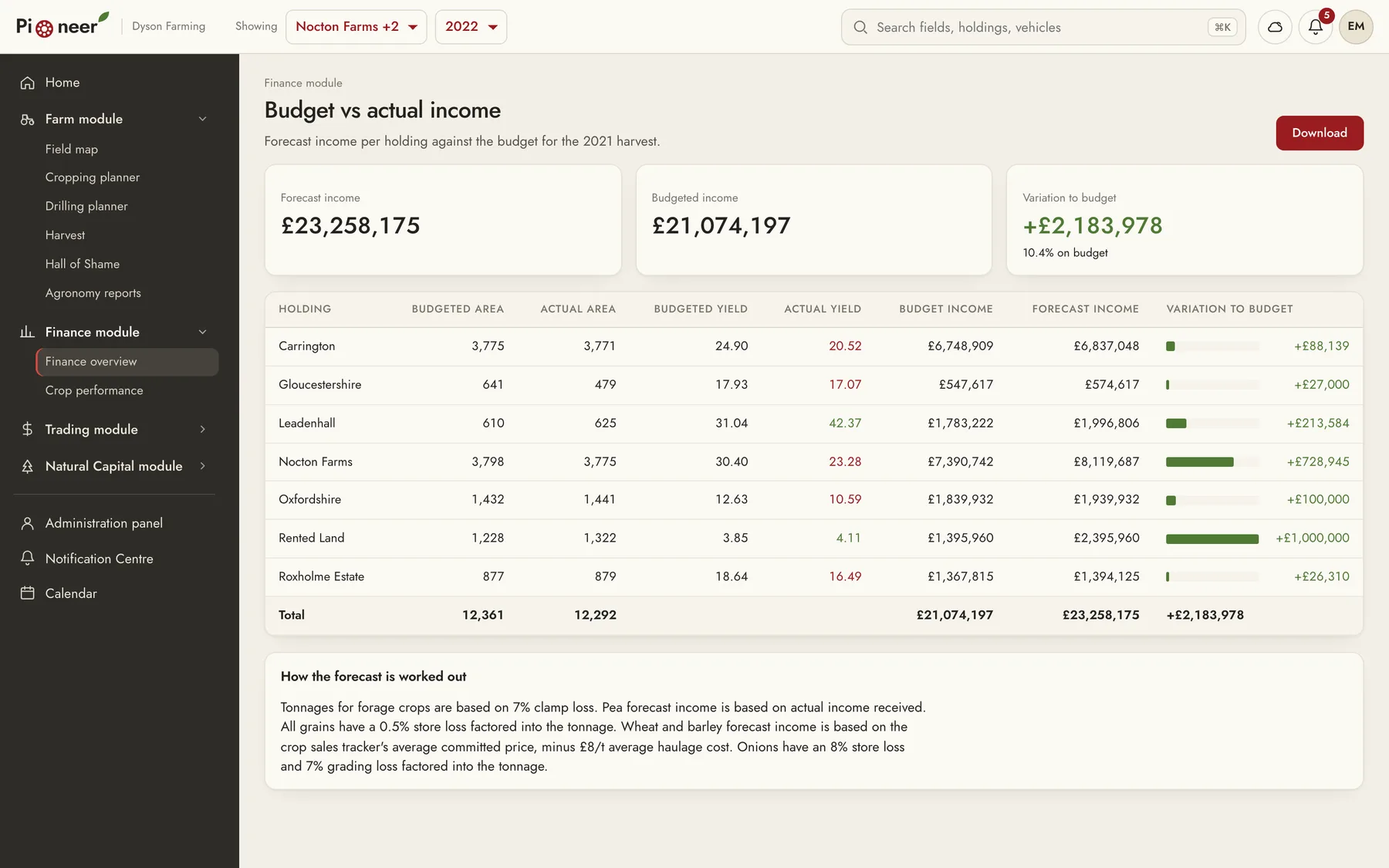
The data is also very detailed. In the cropping planner, every field in a farm block has seven seasons of rotation, and the finance view compares budgeted and actual area, yield, and income for seven holdings. On top of that, different people need different parts of the platform, so Pioneer had to support up to five permission classes.
04
What we designed
We organised Pioneer into modules, and each module has its own tools.
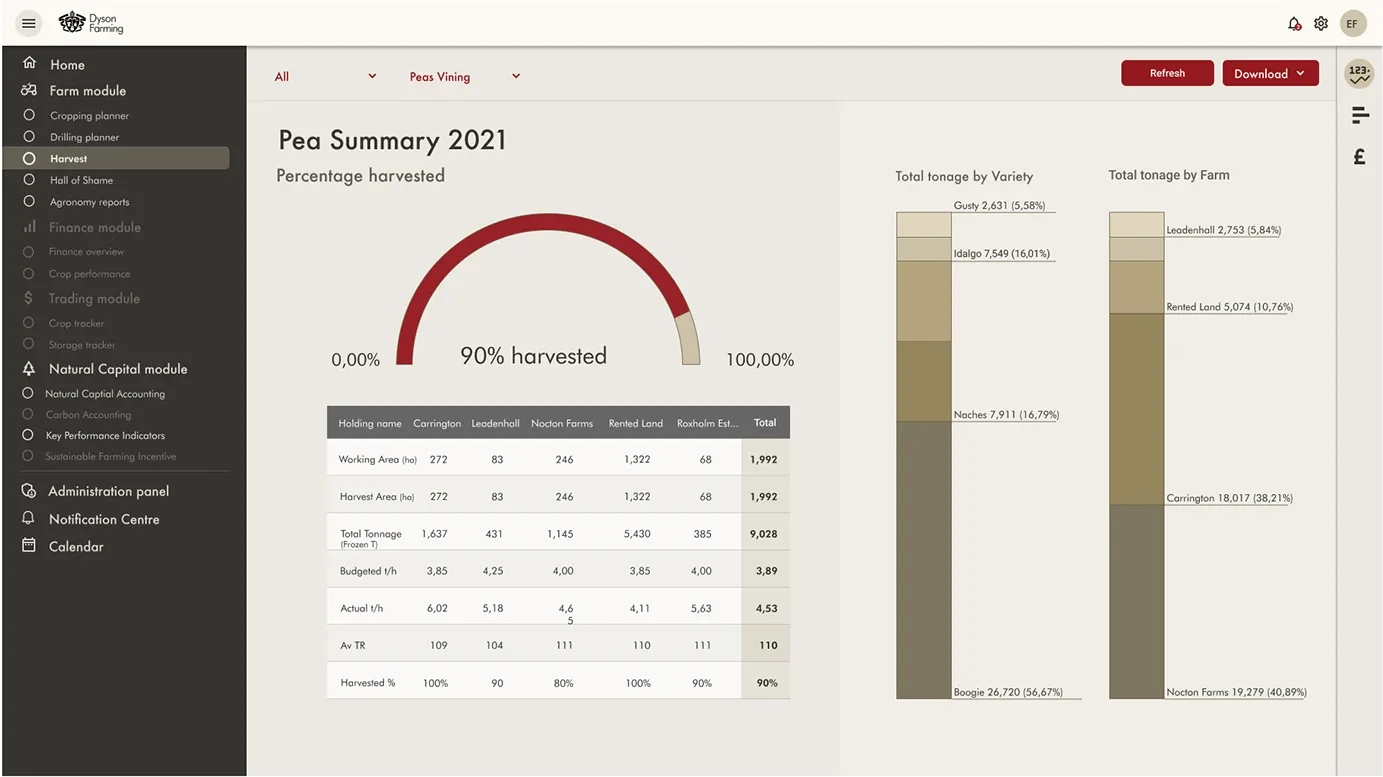
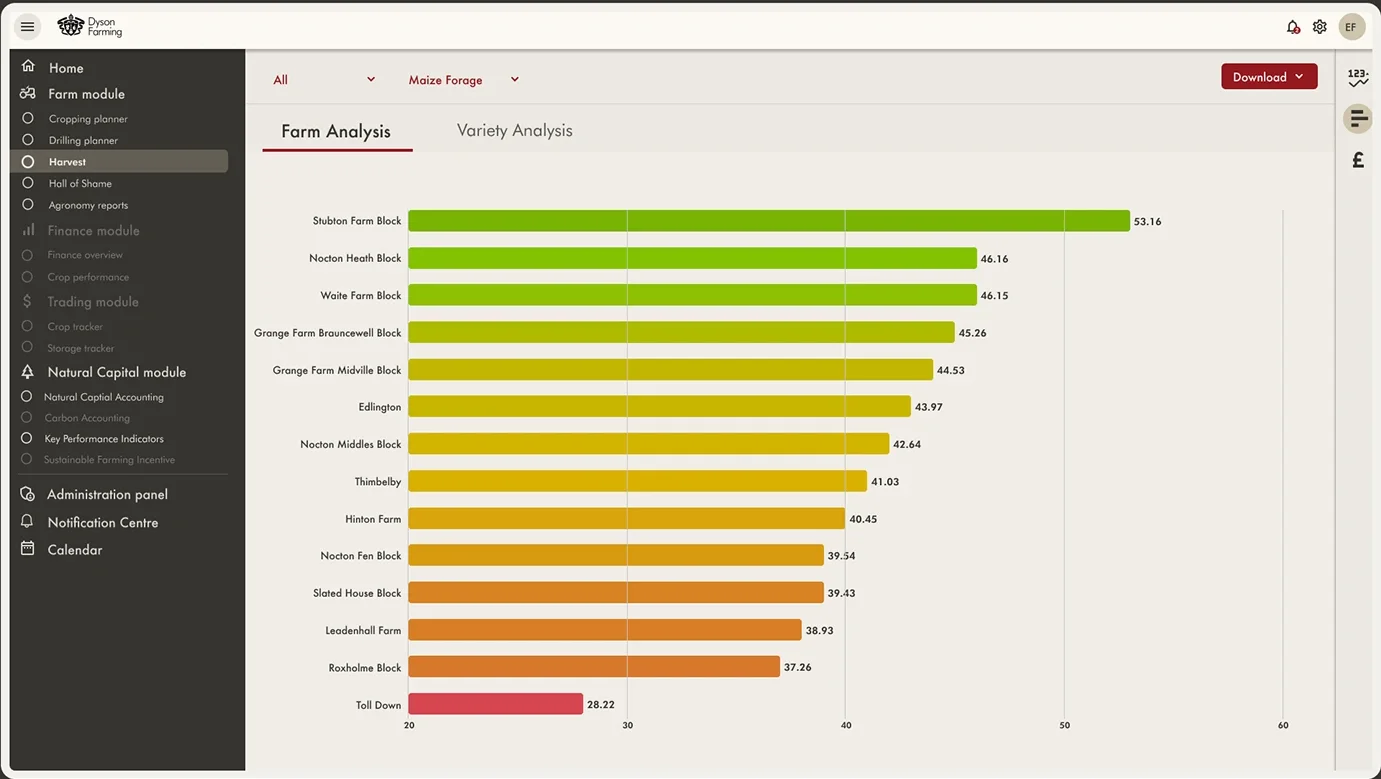
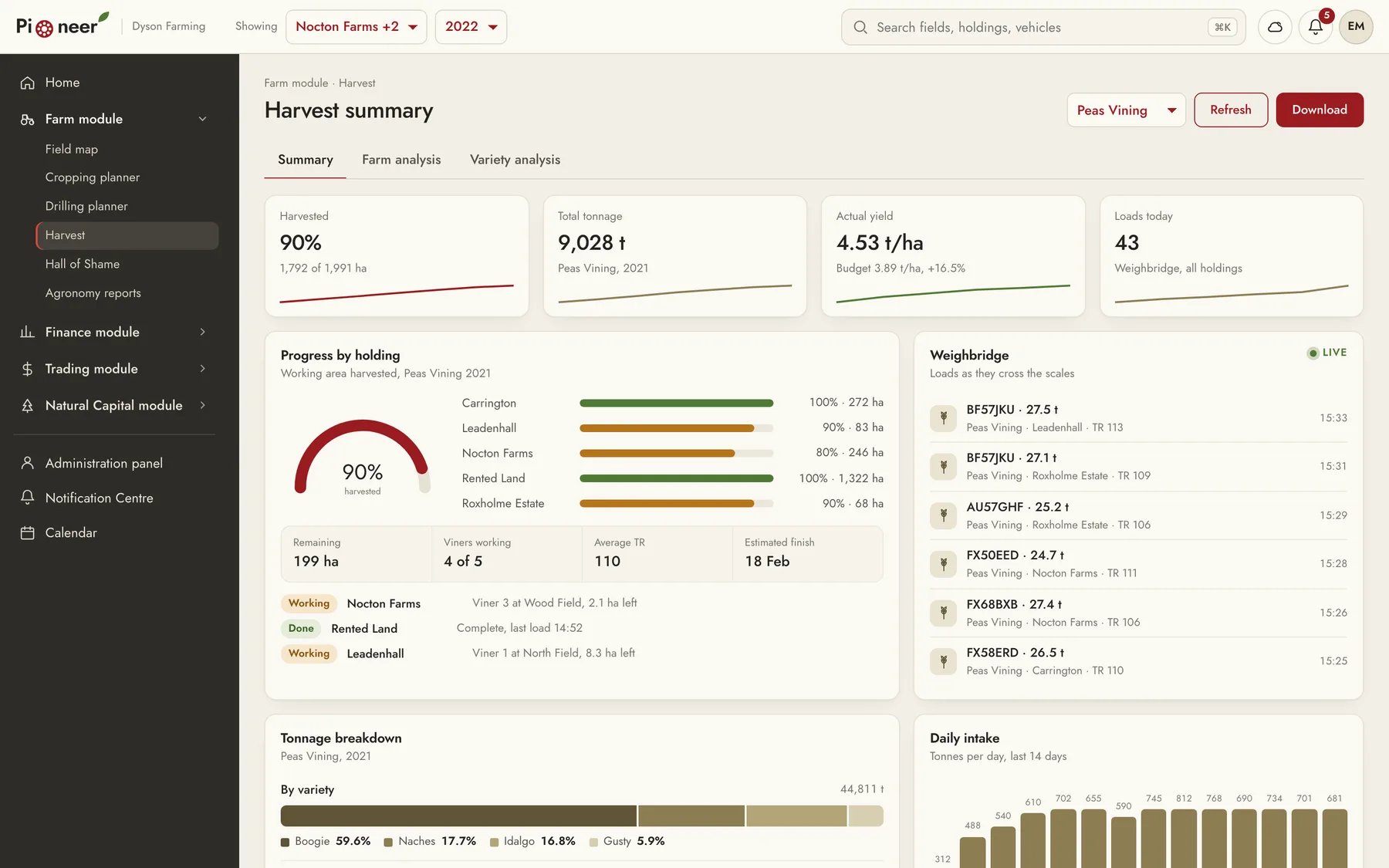
Farm module: The cropping planner, drilling planner, harvest summaries, Hall of Shame, and agronomy reports.
Finance module: The finance overview and crop performance, including budget against actual income for each holding.
Trading module: The crop tracker and storage tracker.
Natural Capital module: Natural capital accounting, carbon accounting, key performance indicators, and the Sustainable Farming Incentive.
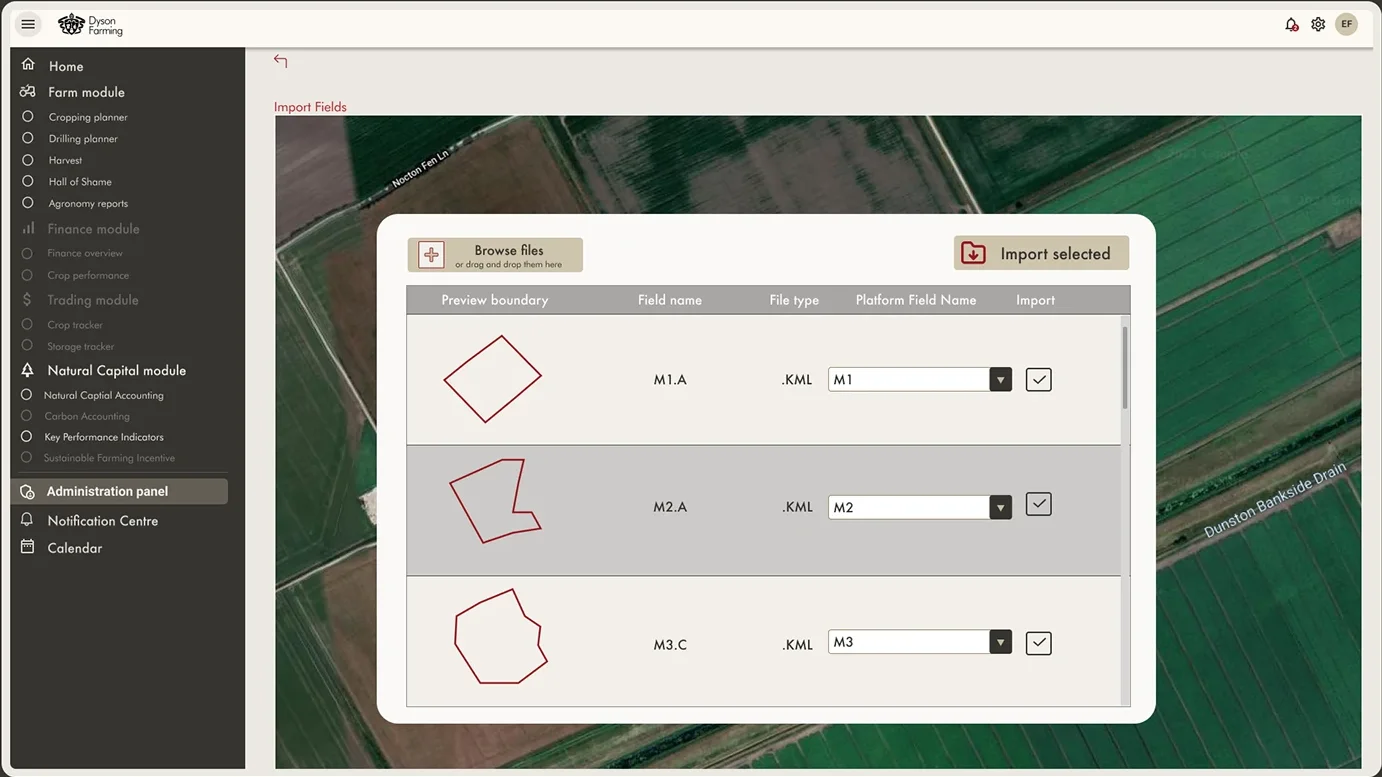
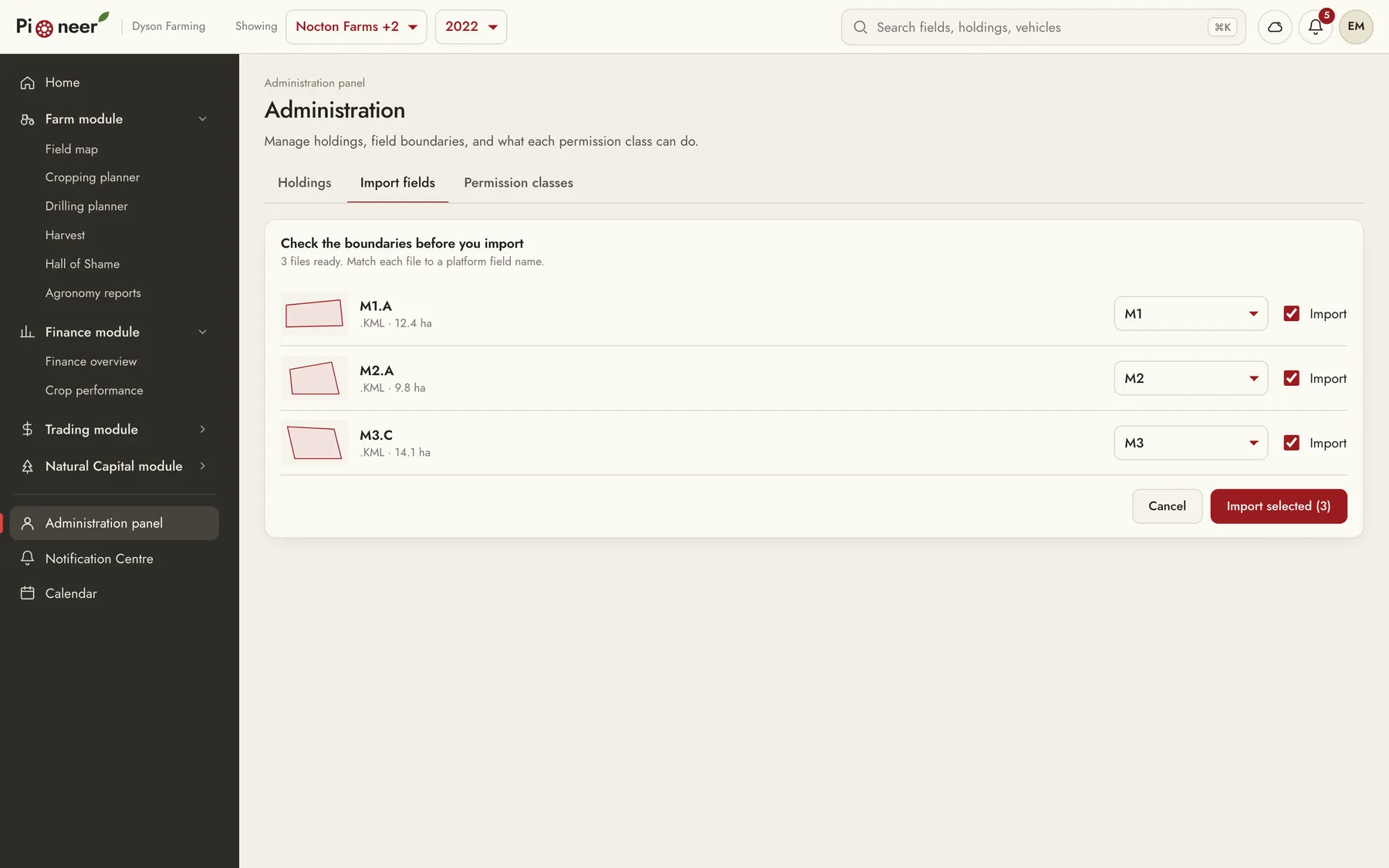
Administration panel: Holdings, farm blocks, and fields, plus field boundary imports from KML files.
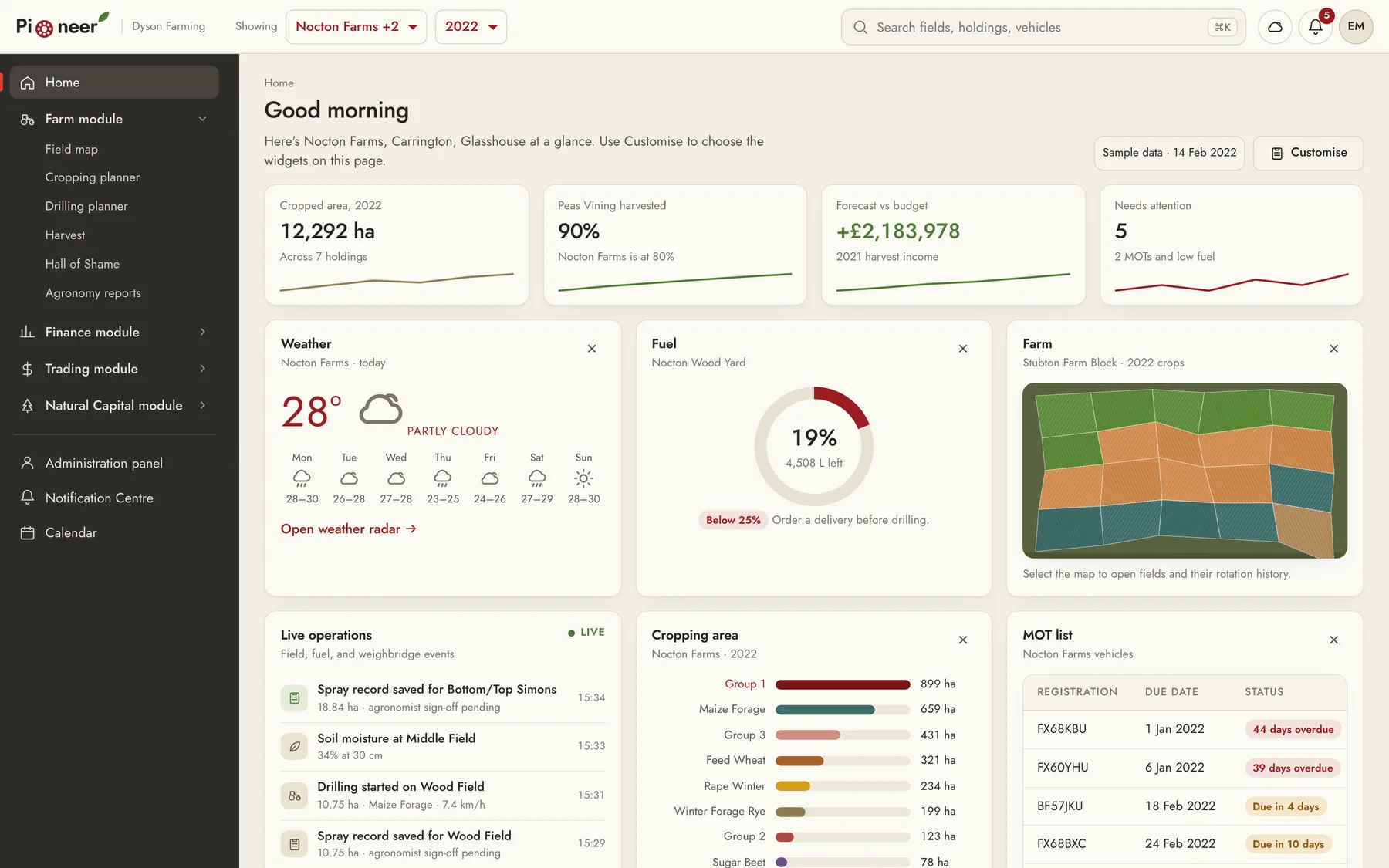
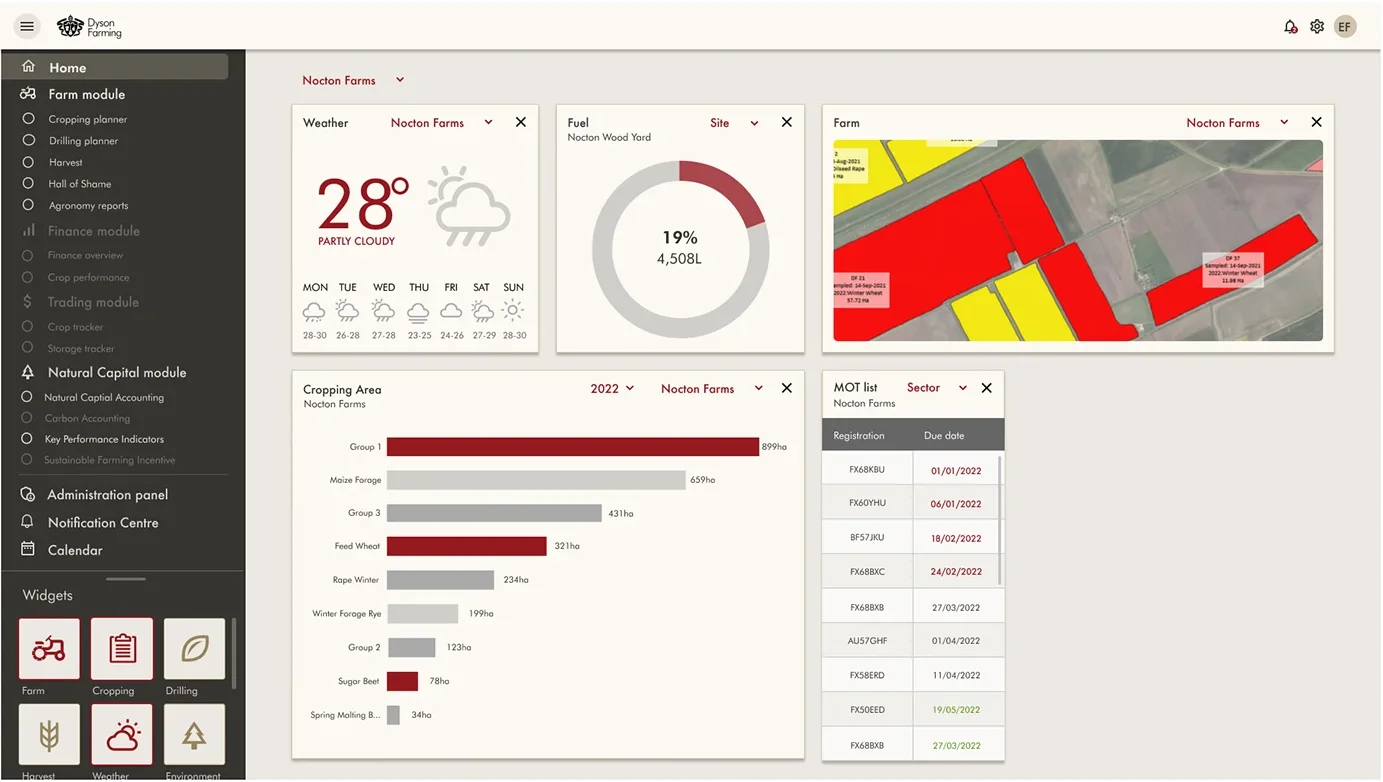
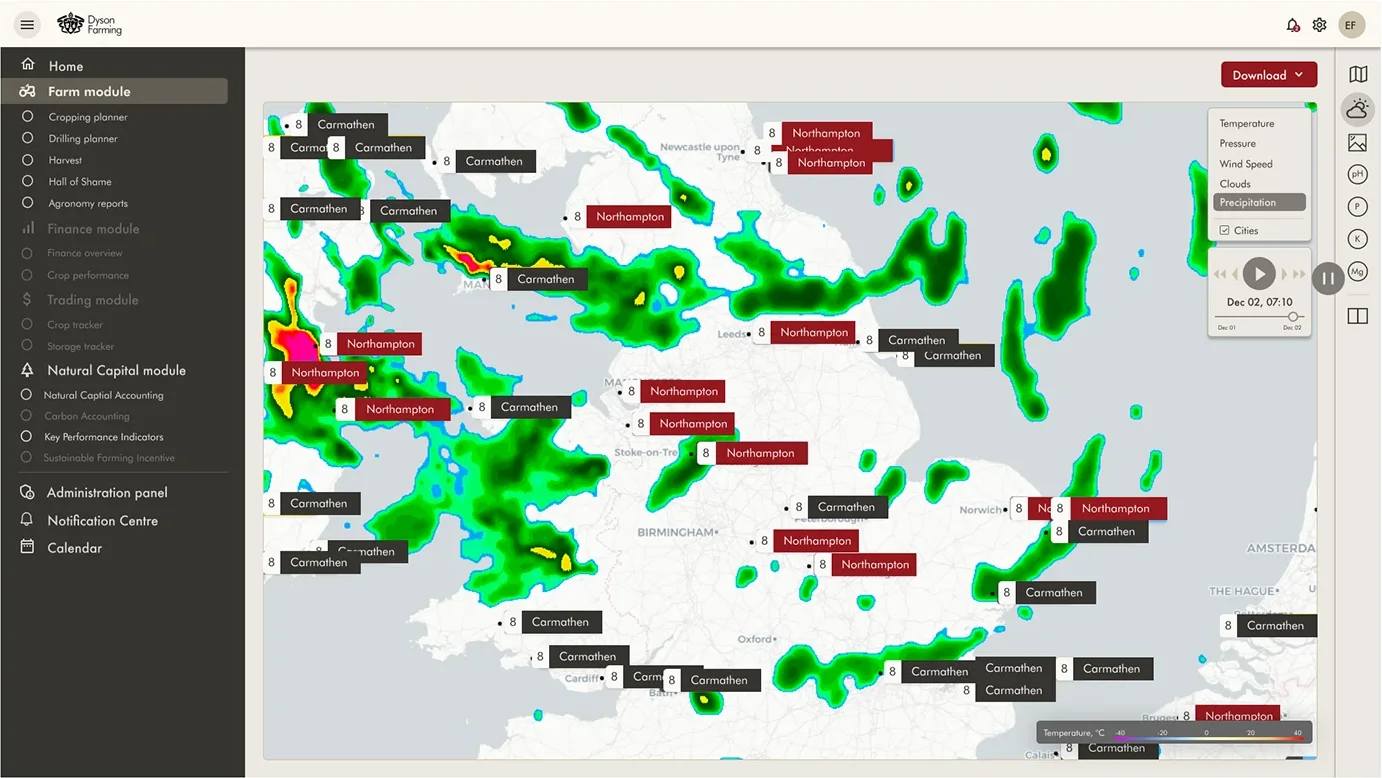
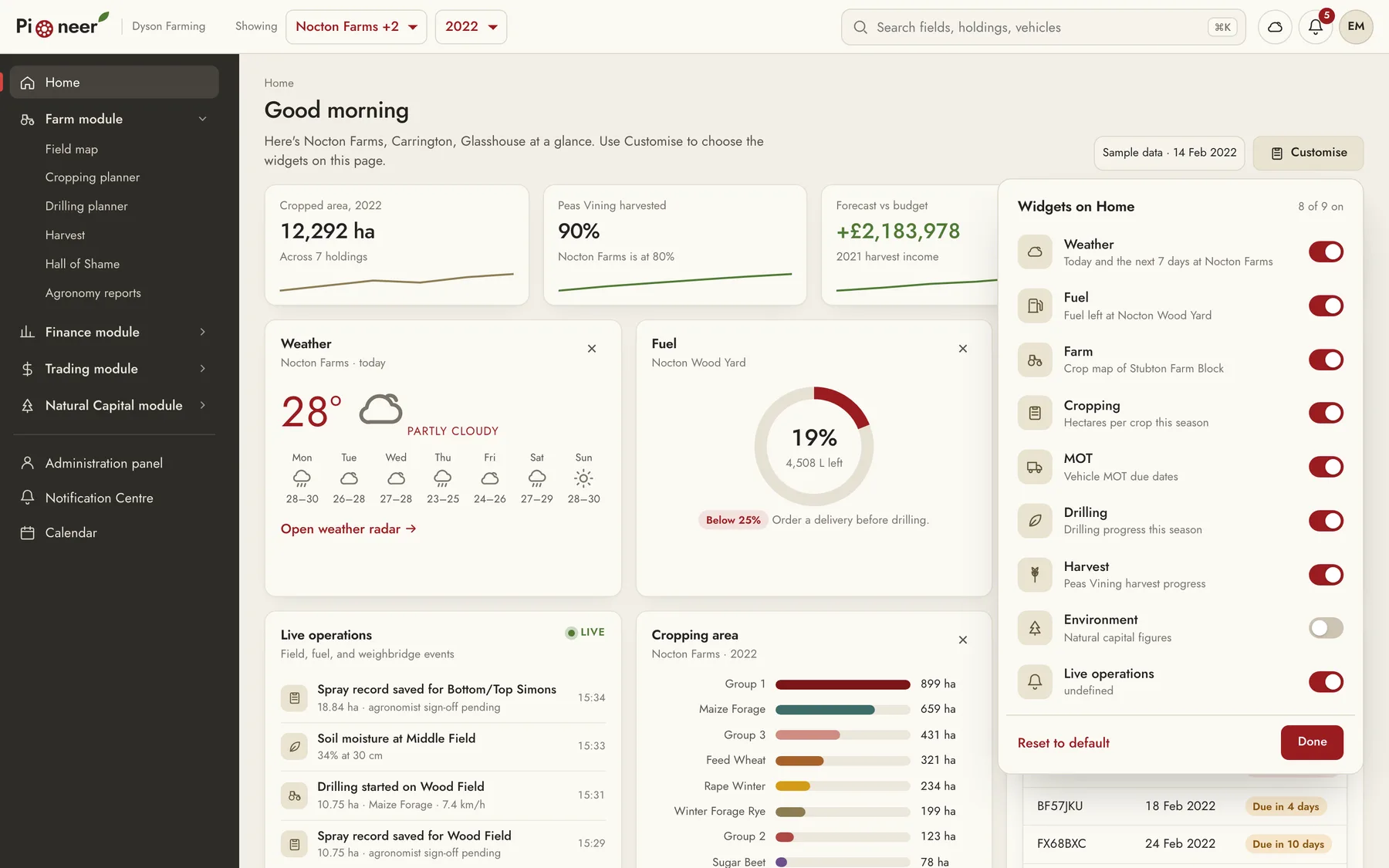
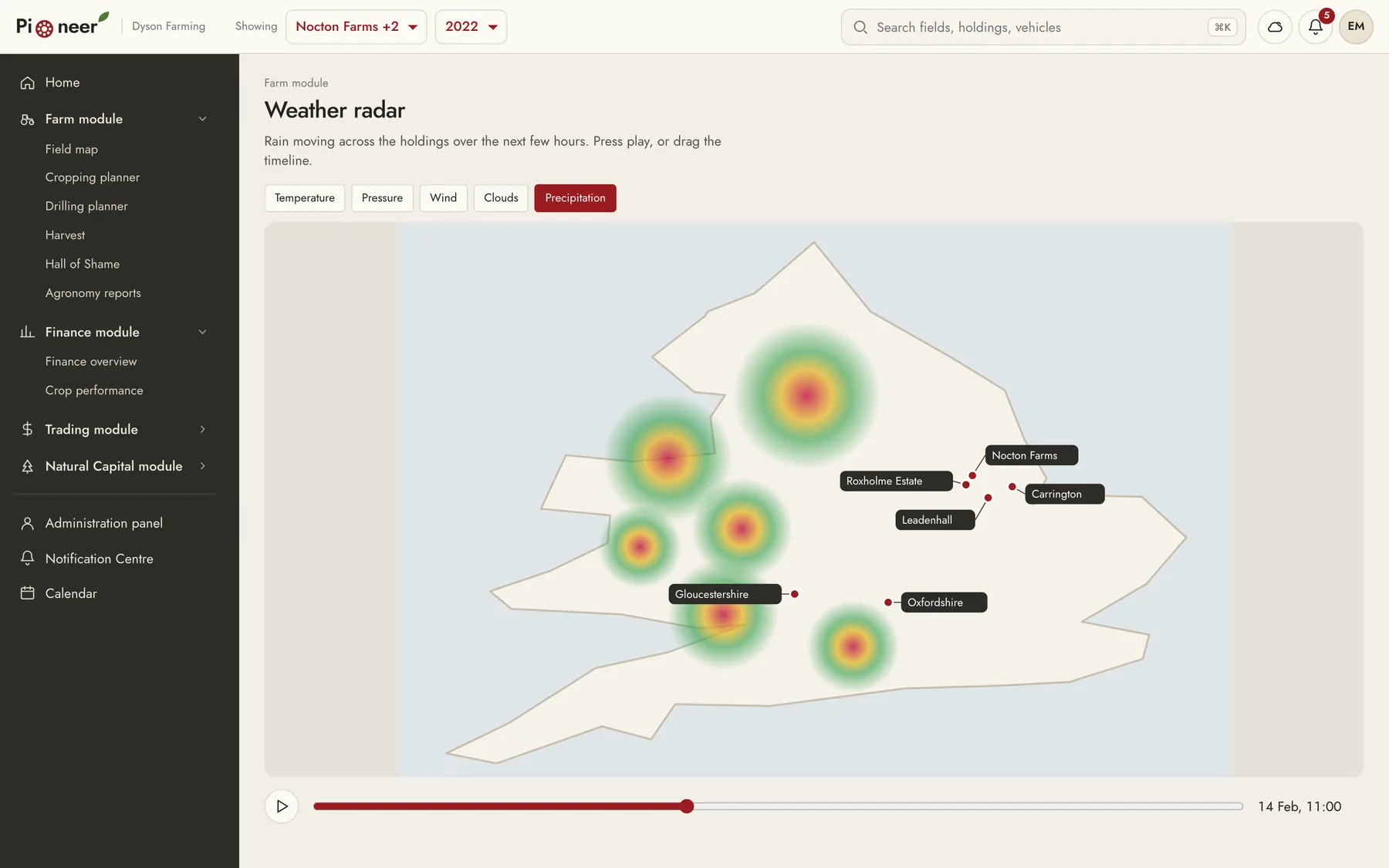
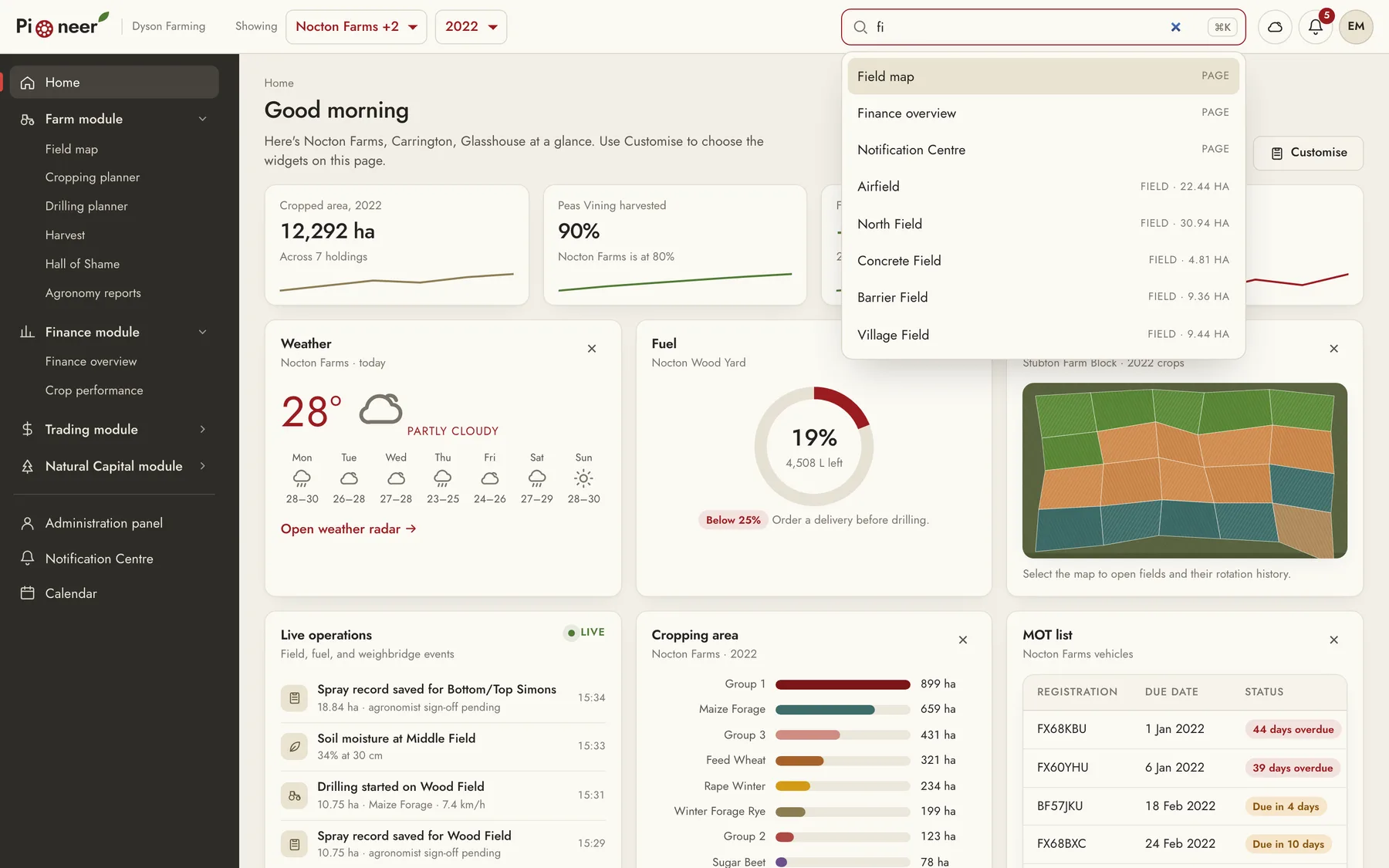
Home dashboard: Widgets for weather, fuel, the farm map, cropping area, and the MOT list. Each person could add or remove widgets from a palette at the bottom of the menu.
Onboarding and sign-in: People signed in with a username and password or a Microsoft account. After the first sign-in, they chose the holdings their dashboard shows by default.
05
How we redesigned it in 2026
In 2026, we rebuilt Pioneer as a coded prototype. We kept the brand: the cream surfaces, the charcoal sidebar, crimson for actions, and olive for data. Jost replaces the original geometric typeface, because it's free to use on the web. We changed the interface and the interactions screen by screen.
Holding and season filters: In the original design, every widget had its own holding and year dropdowns. In the redesign, there's one holding filter and one season filter in the top bar, and every widget and module uses them. This way, the whole dashboard is always about the same holding and season.
Menu and Home widgets: In the original design, the widget palette was at the bottom of the menu. In the redesign, Customise on the Home page opens a panel with a switch, a name, and a short description for each widget. This way, the menu is only for navigation. Each module group in the menu opens and closes, and the group for the page you're on opens by default.
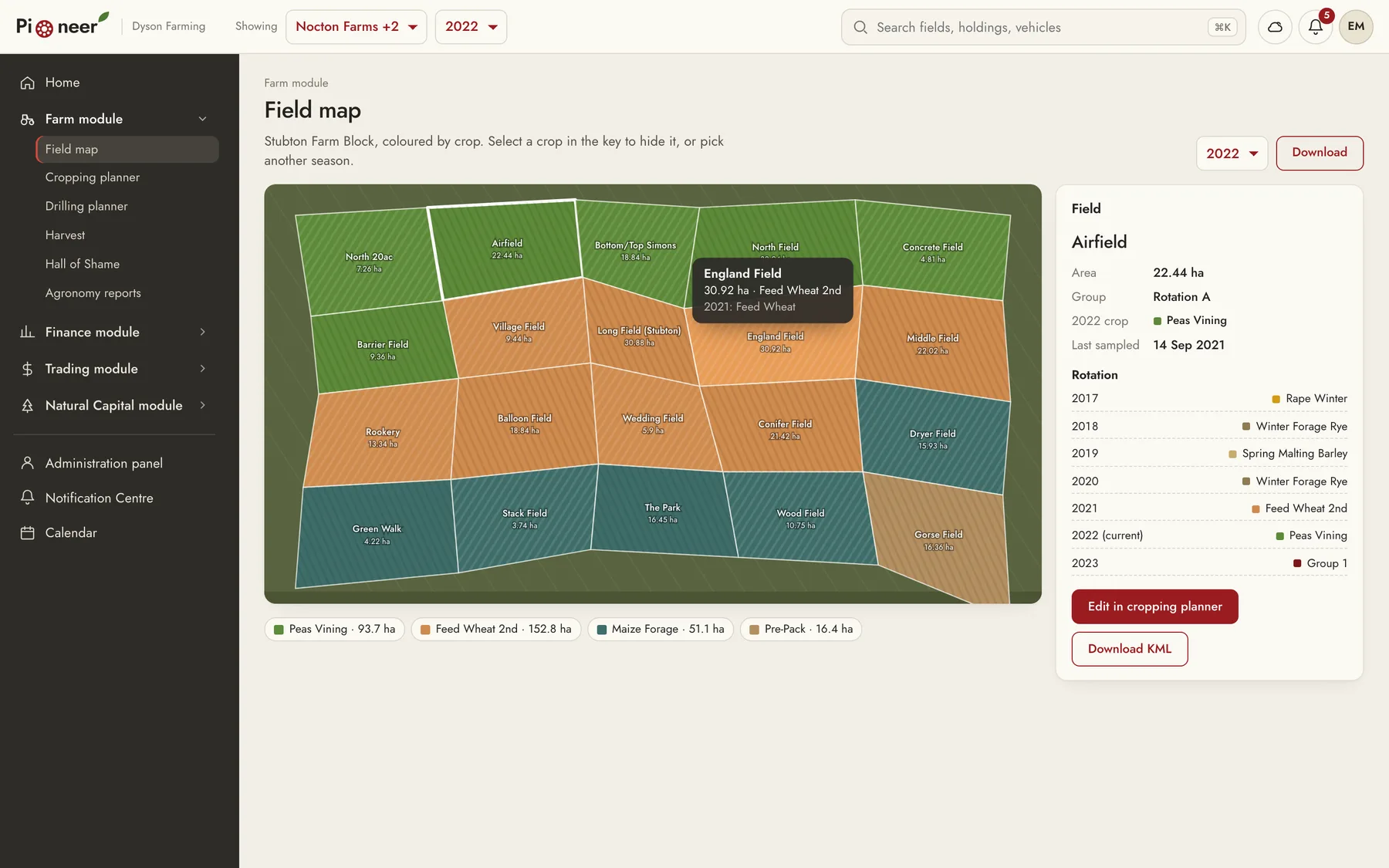
Field map: The original map put saturated red and yellow fills over the satellite image, in colours that didn't match the crop colours in the planner. In the redesign, each crop has one colour across the map, the planner, and the charts. You can hover over a field to see its crop this season and last season, select it to open its area and seven-year rotation, and hide crops from the key.
Cropping planner: Past seasons are locked, and 2022 and 2023 are editable. When you change a crop, the cell is marked and the save button counts your changes. The field map and the cropping summary update from the same data, and you can discard every change before you save.
Tables and charts: We replaced the dark table headers with light ones and right-aligned the numbers. In budget against actual income, the variation column now has a bar and a plus or minus sign. In the original screens, a few rows in that column didn't equal forecast income minus budget income, so in the prototype each row is calculated from those two columns.
Permission classes: Modules a permission class can't use stay in the menu with a lock, and read-only modules are labelled. If someone opens a locked module, they get a short note that an administrator can change their permission class.
Search: The search in the top bar finds fields, holdings, vehicles, crops, and pages. You can open it with Command K, move through the results with the arrow keys, and press Enter to go straight to the field on the map or the MOT date in the calendar.
Field imports: In the original flow, you picked KML files in the system file dialog and then matched each boundary to a platform field. In the redesign, you drag the files onto the page, check each boundary's shape and area, match it to a field, and choose which files to import. The new fields go straight onto the field map, and you can undo the import.
Notifications and calendar: The notification centre lists overdue and upcoming MOTs, low fuel, and harvest progress, and each notification opens the screen it's about. The calendar shows MOT due dates from the vehicle list and drilling windows from the drilling planner.
Accessibility: In the original sidebar, some sub-items were faint grey on charcoal. In the redesign, the sub-items are a lighter tone, you can reach every field on the map with the keyboard, and the charts carry their values as text.
06
Impact
Dyson Farming built Pioneer, and its teams used it to manage the farm systems from one dashboard instead of several standalone applications.
The 2026 prototype is our own redesign. Dyson Farming didn't commission it, and it runs on sample data based on the figures in our original designs.