ORtelligence · Operating room
How we designed a surgical instrument scanner for the operating room
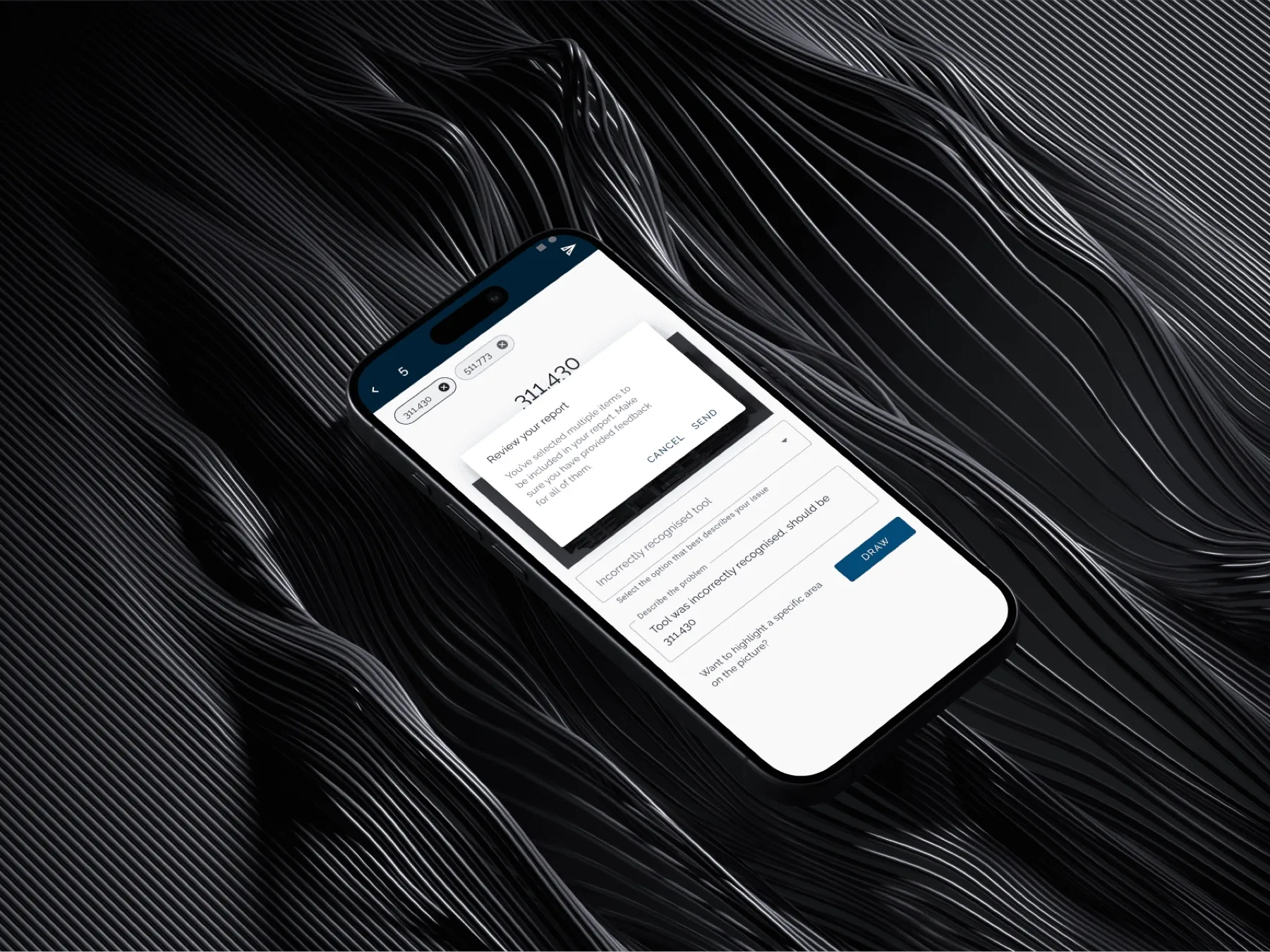
Surgical teams have to account for every instrument in the operating room. We designed the mobile scanning flows for ORtelligence, so staff could see the count status, the missing items, and the preparation work still to do, including the confirmation and recovery states. Preparation became 75% faster, and overall operation time dropped by 40%.
- Client
- ORtelligence
- Sector
- Operating room
- Our work
- Mobile UX and interface design
- Length
- 6 months
01
About the project
Client: ORtelligence, a mobile product for scanning and tracking surgical instruments in the operating room.
Objective: Help operating-room teams identify instruments, track count status, and resolve a missing item with less manual checking.
02
Problem statement
Surgical teams were tracking instruments by hand, on top of an already demanding operating-room workflow. A missing or unaccounted-for instrument could delay the work and put patient safety at risk.
03
Goals and success metrics
Missing instruments: Make an unaccounted-for item easier to identify and resolve.
Preparation: Test if the workflow could improve preparation speed by 25%.
Procedure time: Explore if better instrument tracking could contribute to a 15% reduction in overall operation time.
Results: Preparation became 75% faster, against a target of 25%, and overall operation time dropped by 40%, against a target of 15%.
04
From wireframes to high-fidelity designs
05
Low-fidelity wireframes
Navigation: We kept the main scanning and count actions visible, so nurses and surgeons didn’t have to search through the app for them.
Core tasks: The wireframes prioritised scanning, live count status and quick instrument search.
06
User feedback and collaboration
Feedback sessions: We held weekly reviews with a small group of operating-room nurses and used their feedback to revise the interface.
Design and engineering: As the design changed, we went through real-time data syncing and hospital-database integration with the developers.
07
Beta testing
The beta ran in two pilot hospitals. We held focused sessions with surgical teams to find problems and decide what to change next.
08
Usability feedback
Nurses found the scanning flow fast but asked for a simpler way to find rarely used instruments.
Some surgeons asked for offline support in case the network went down.
IT staff required encryption for patient and hospital information.
Changes after testing: We made frequently used tools easier to reach, added an offline scanning cache, and revised the security requirements with the team.
09
Initial challenge
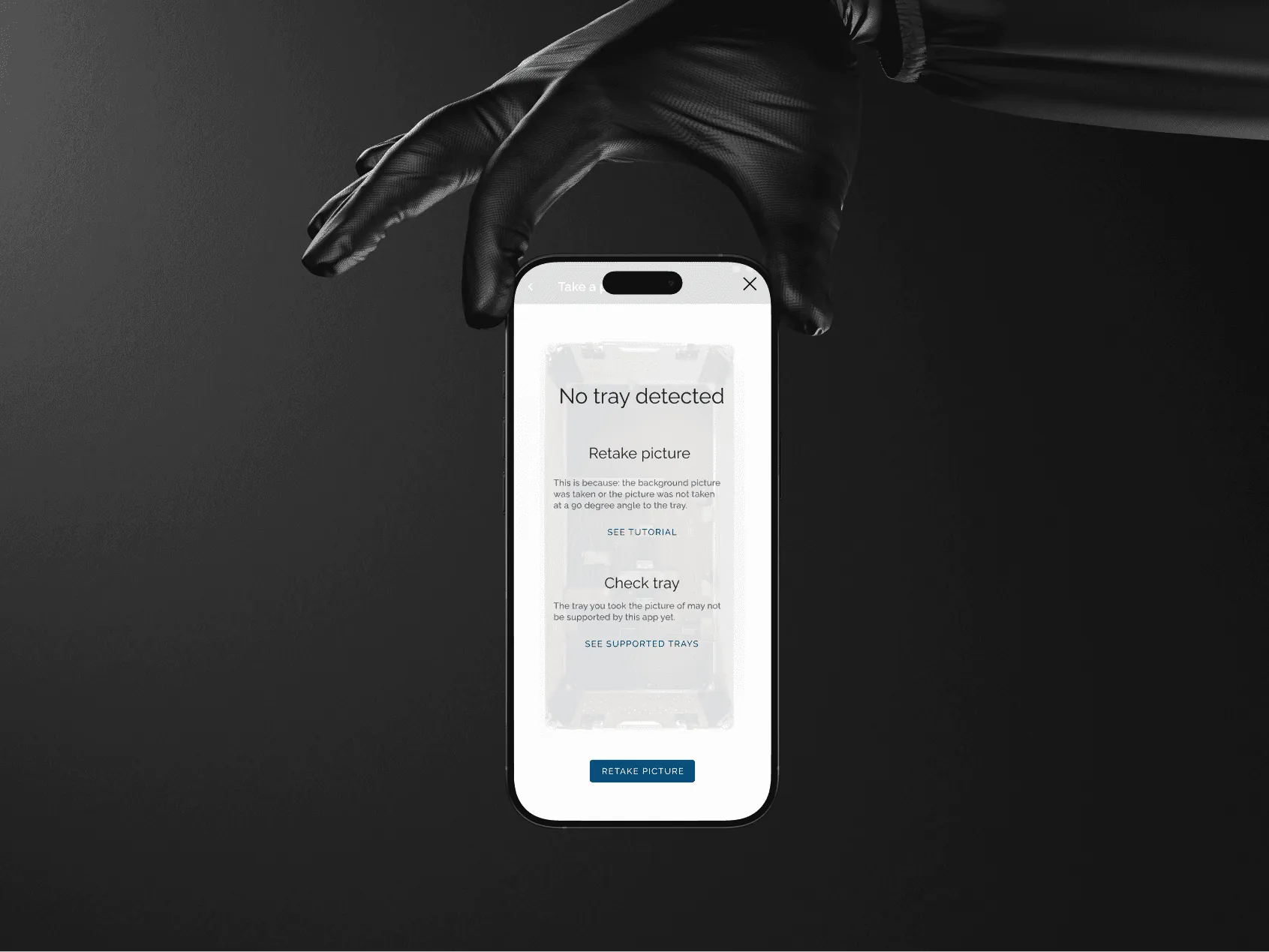
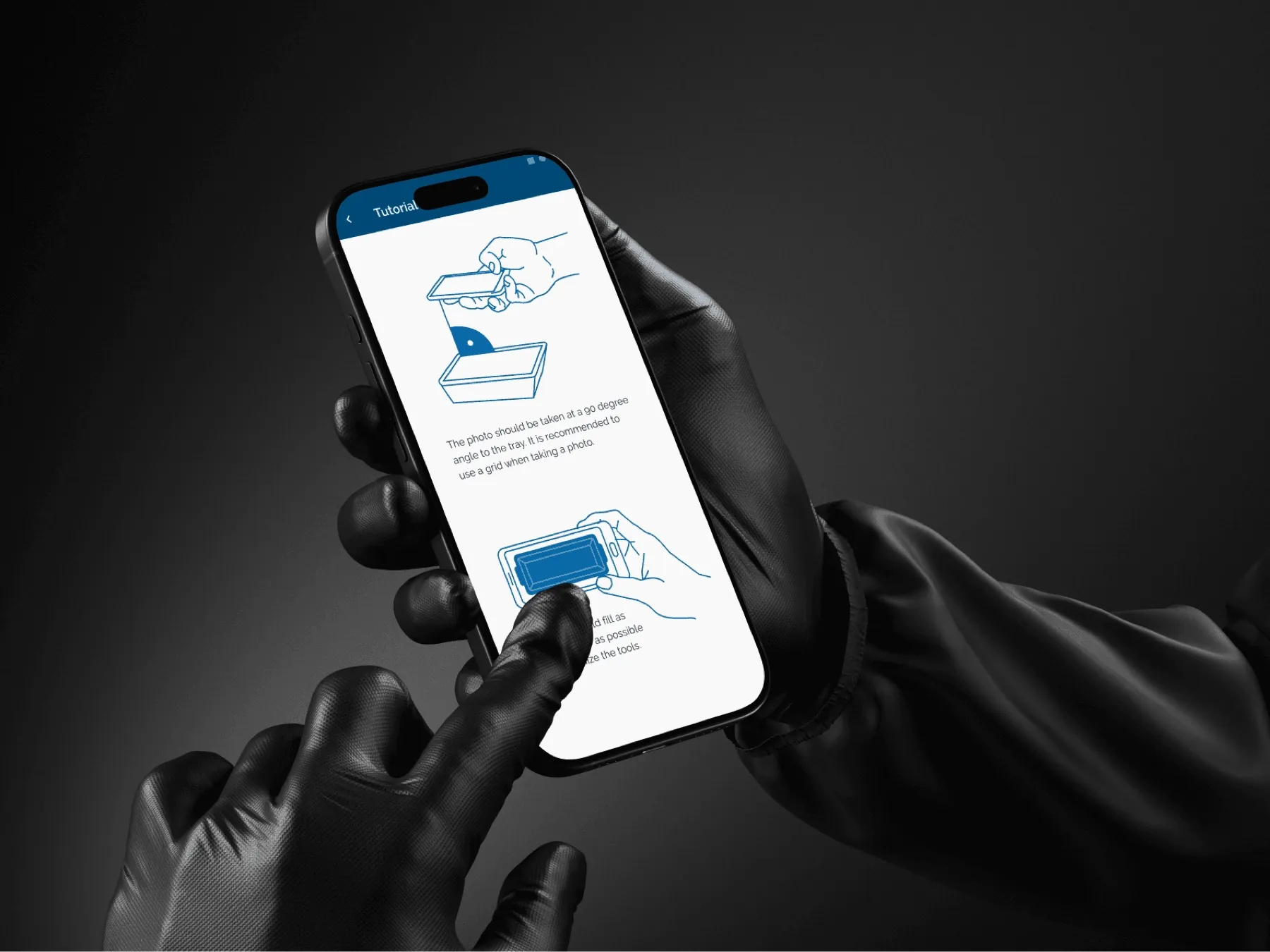
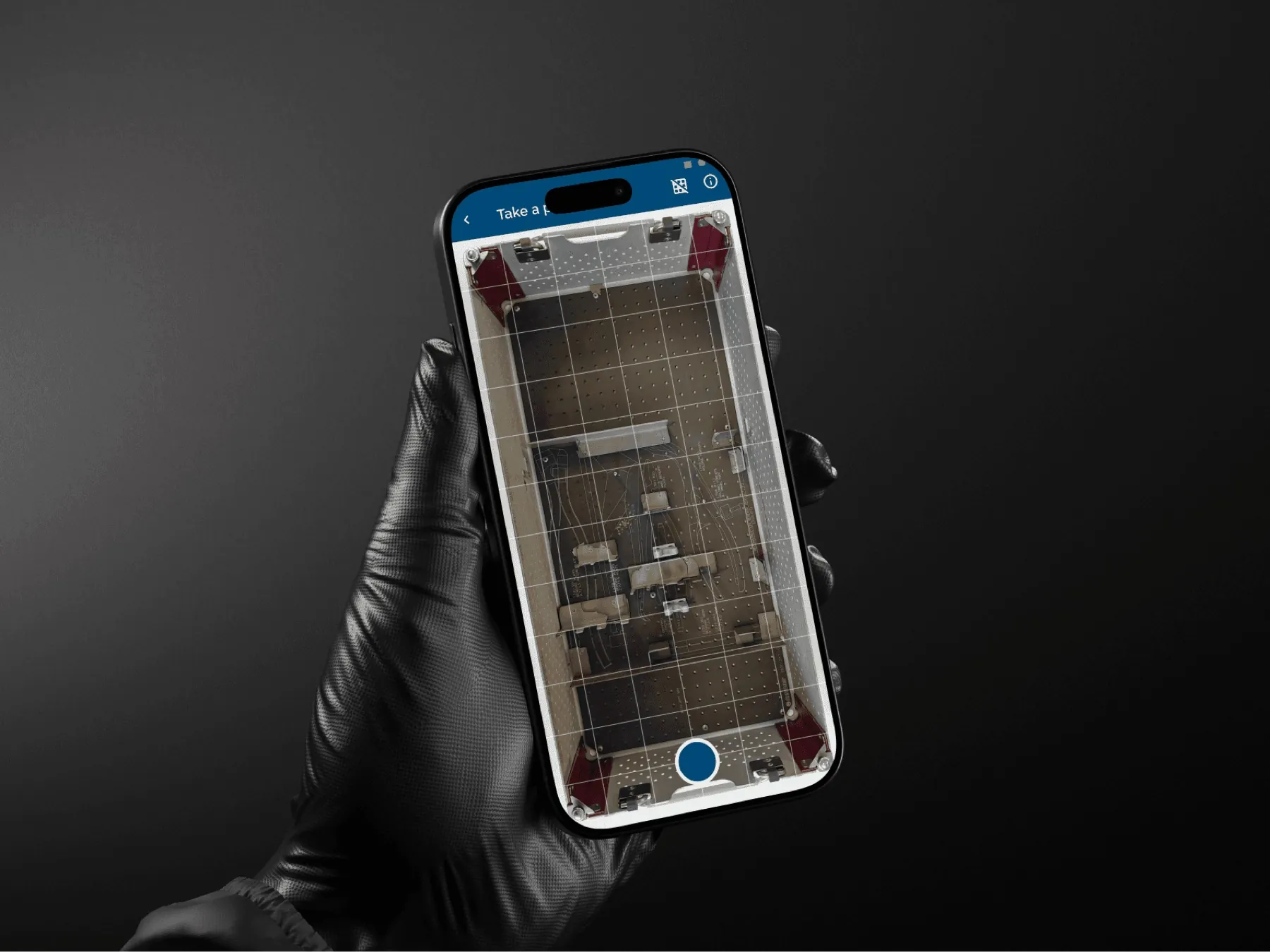
ORtelligence asked Digica to design a mobile app that could manage surgical instruments through scanning. Operating-room teams work quickly, so the app had to fit into the count workflow they already had and show the count status at a glance.
10
Research methods
Observation: We attended mock surgical sessions to see how instruments were tracked, labelled, and transferred.
Workshops: Nurses, surgeons, and IT administrators mapped out the problems they had with misplaced instruments and supply gaps.
Interviews: We ran 20 interviews with medical staff. What they needed most was speed, reliability, and clear scanning feedback.
11
User research insights
Surgeons: They needed to identify instruments quickly and reliably without taking their attention off the procedure.
Nurses and attending staff: They needed a shorter way to track instruments and resolve a count.
IT staff: They needed the app to exchange data with hospital records and inventory systems, so staff didn’t have to keep entering it by hand.
12
Scanning workflow
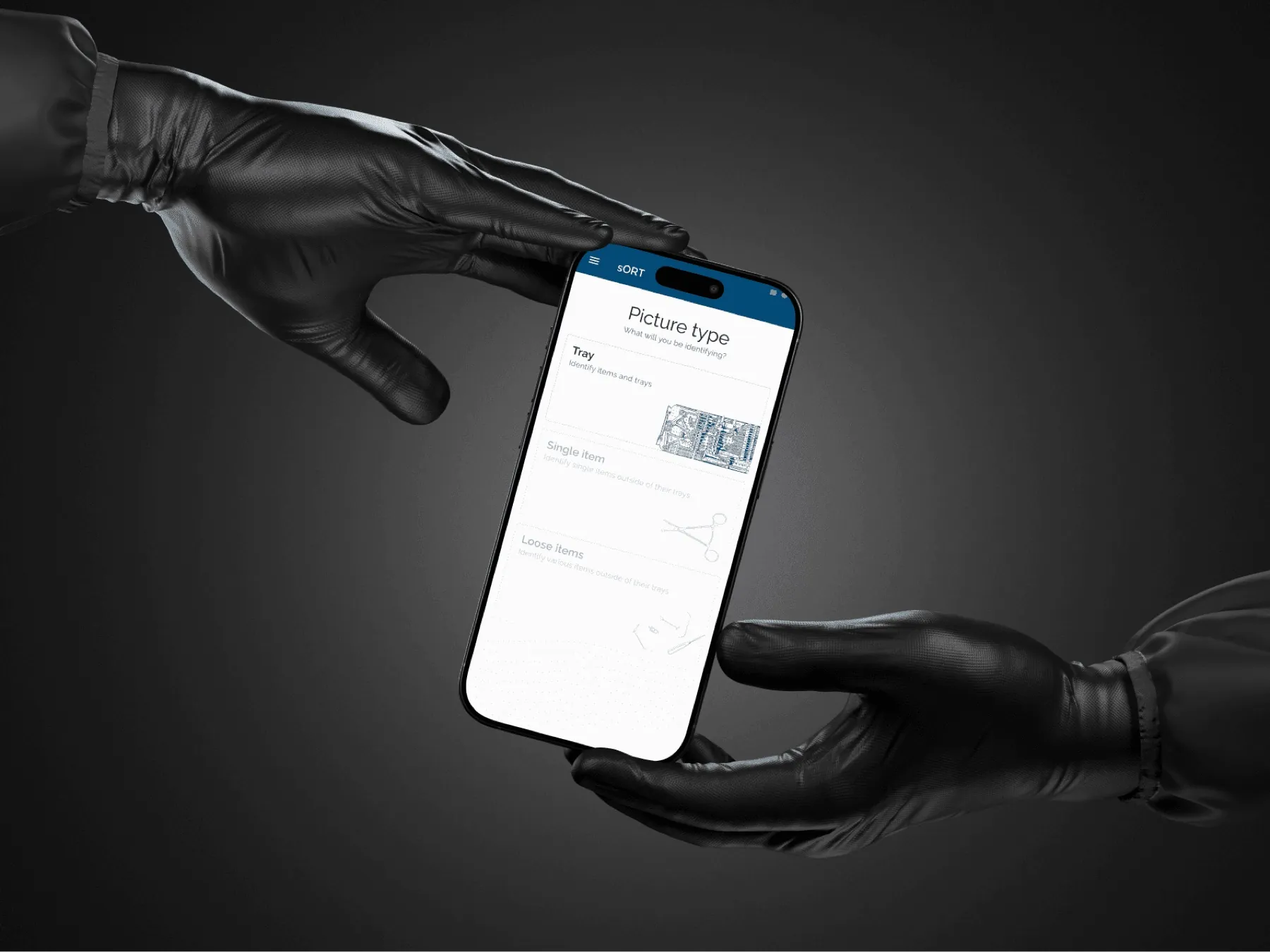
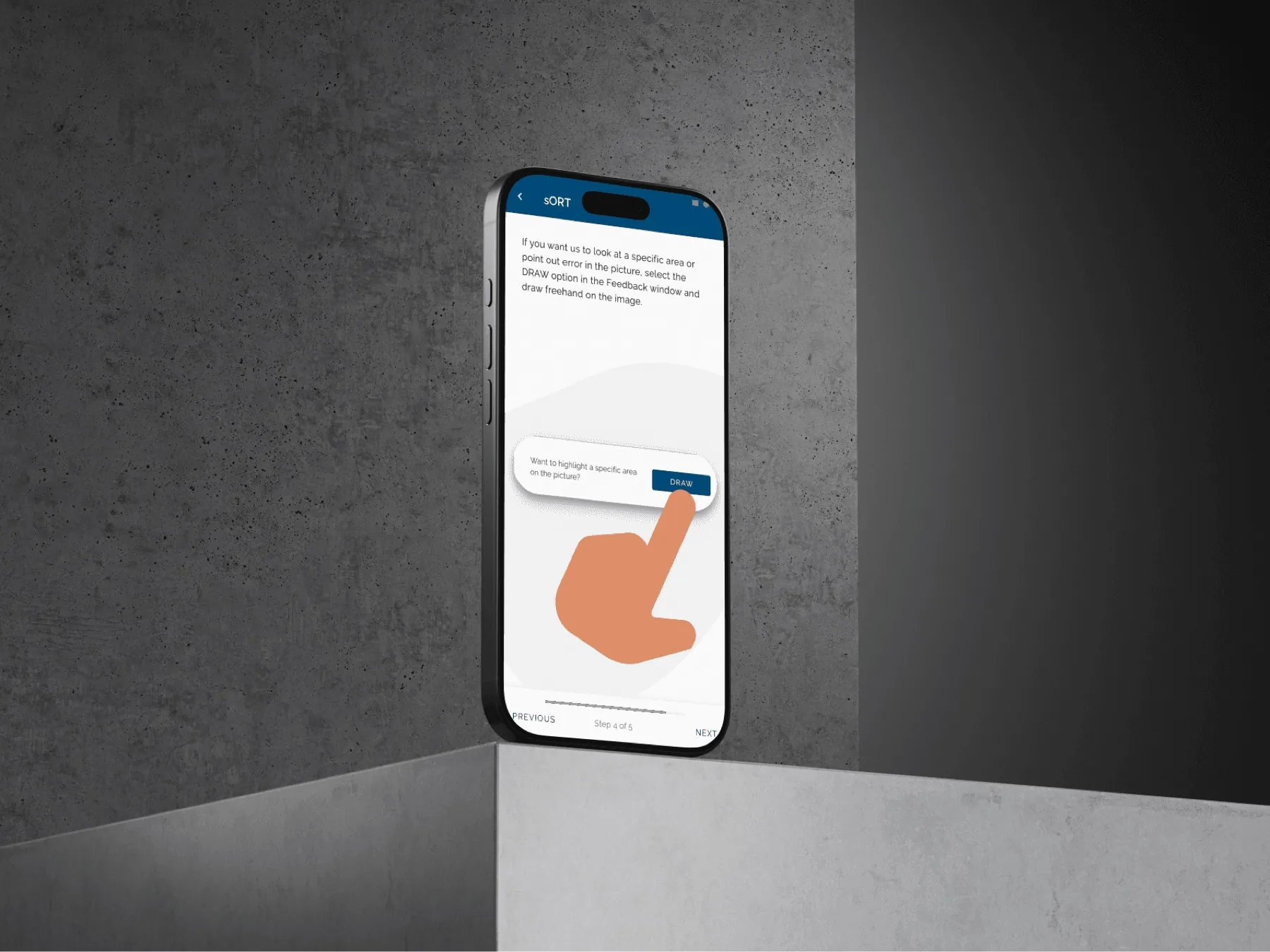
With the Digica product team, we mapped the main workflows for surgeons, nurses, and IT administrators. We prioritised:
Scanning: Identify instruments through QR codes or RFID tags with as few steps as possible.
Live status: Update the operating-room dashboard with each instrument’s location, availability, and usage history.
Inventory alerts: Show low inventory or a missing instrument as soon as the system detects it.
At first, we considered voice-activated commands, but background noise in the OR made them inaccurate. That confirmed our choice to put the effort into scanning instead.
13
Key outcomes
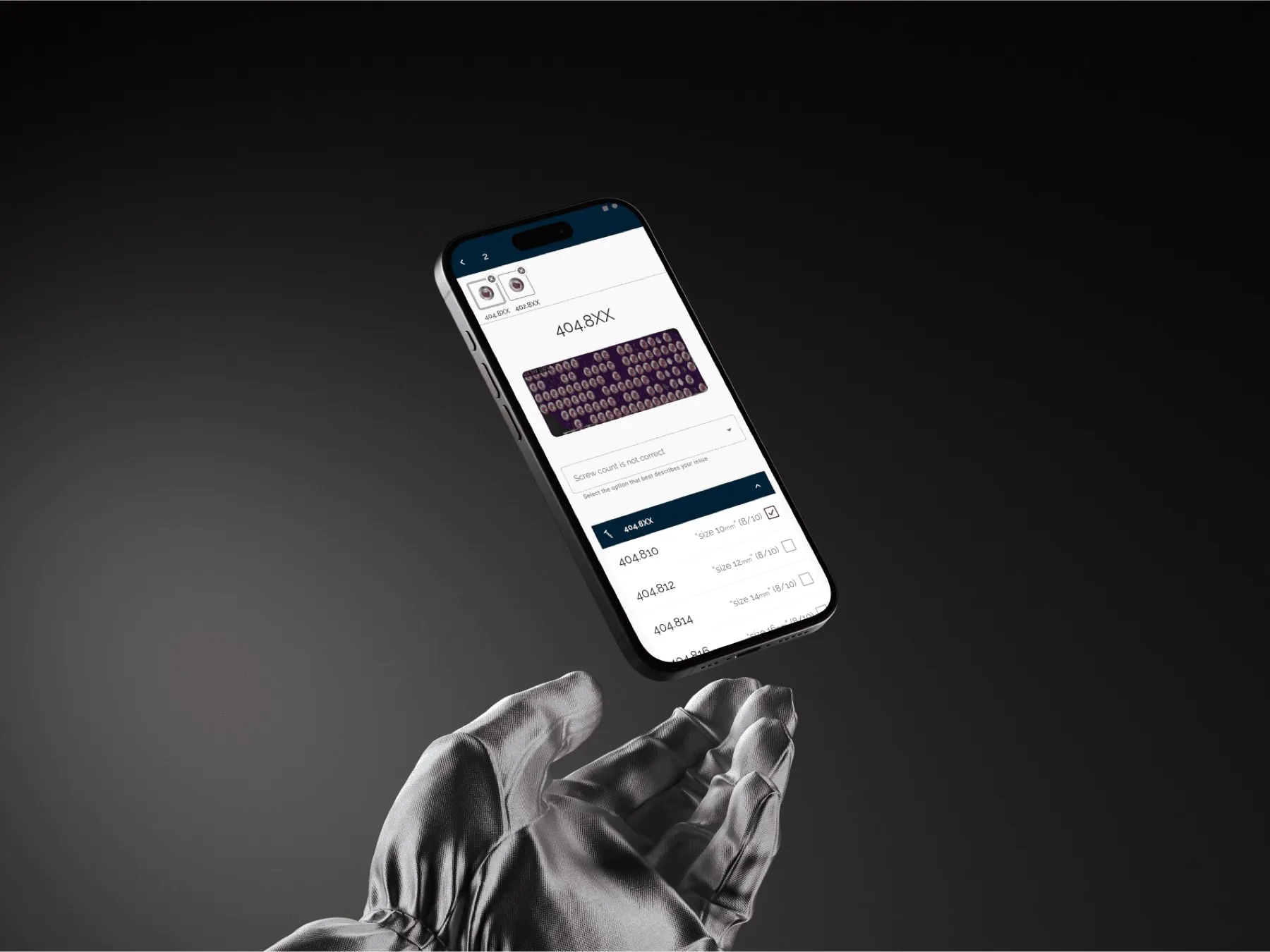
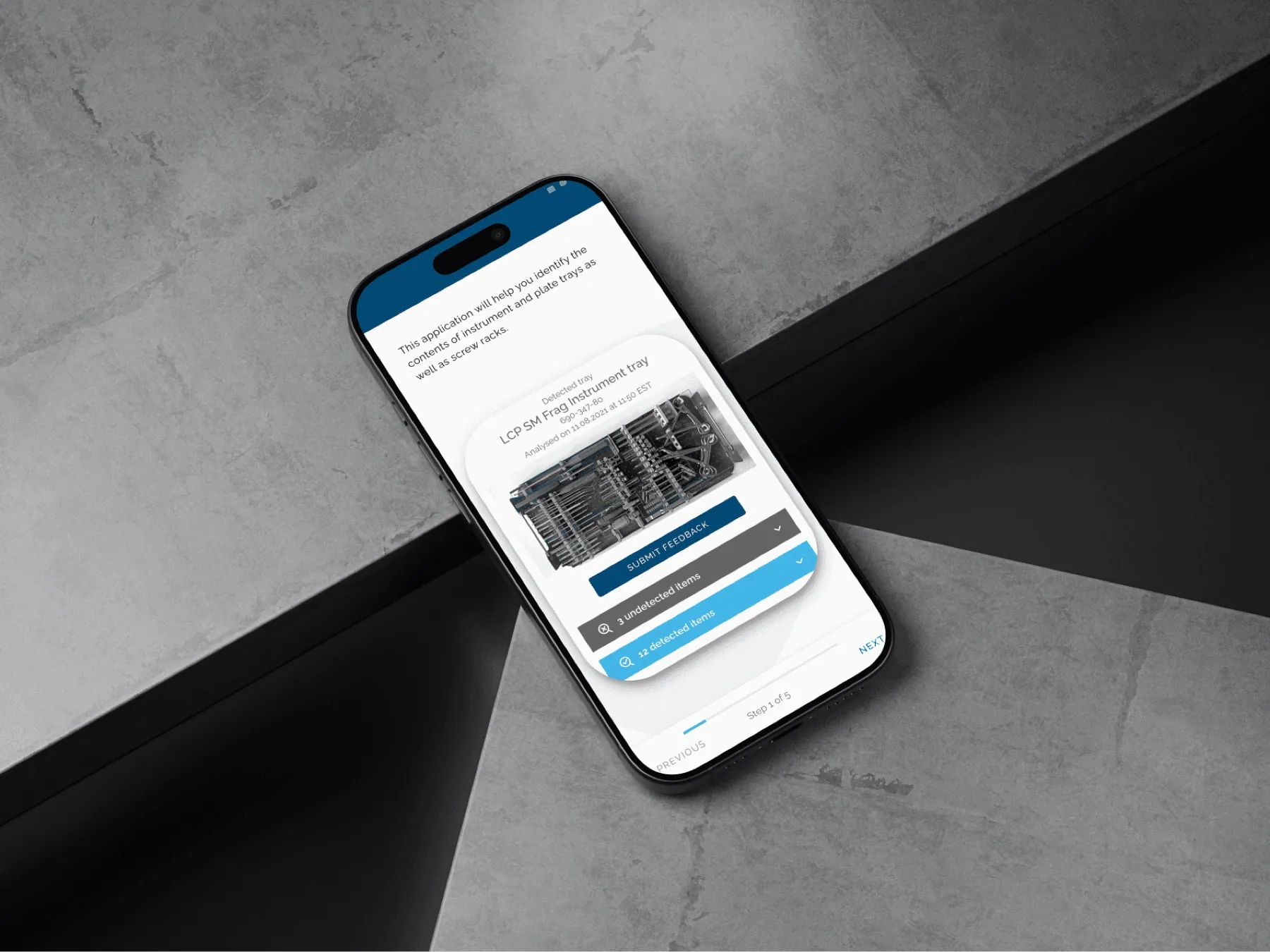
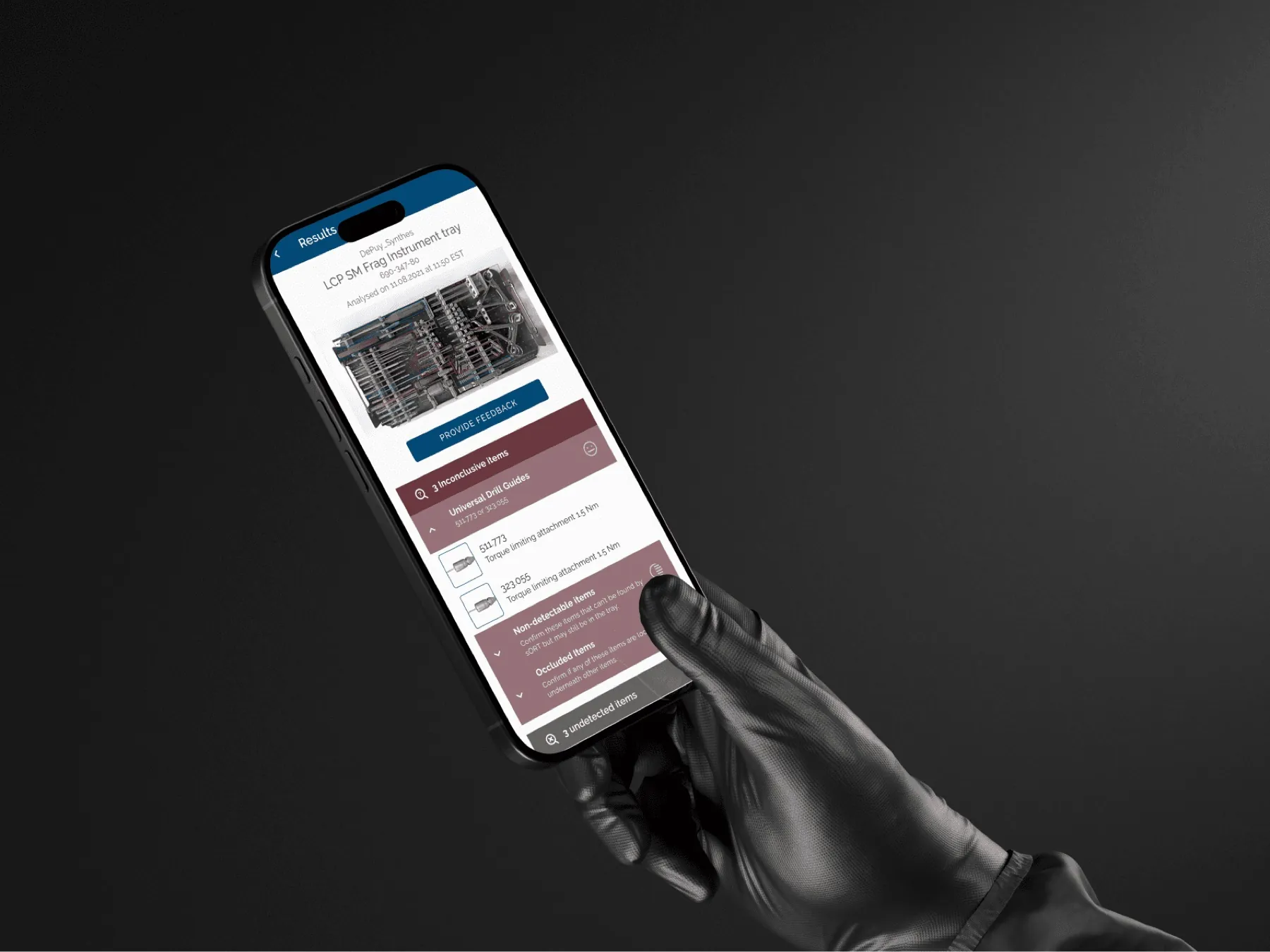
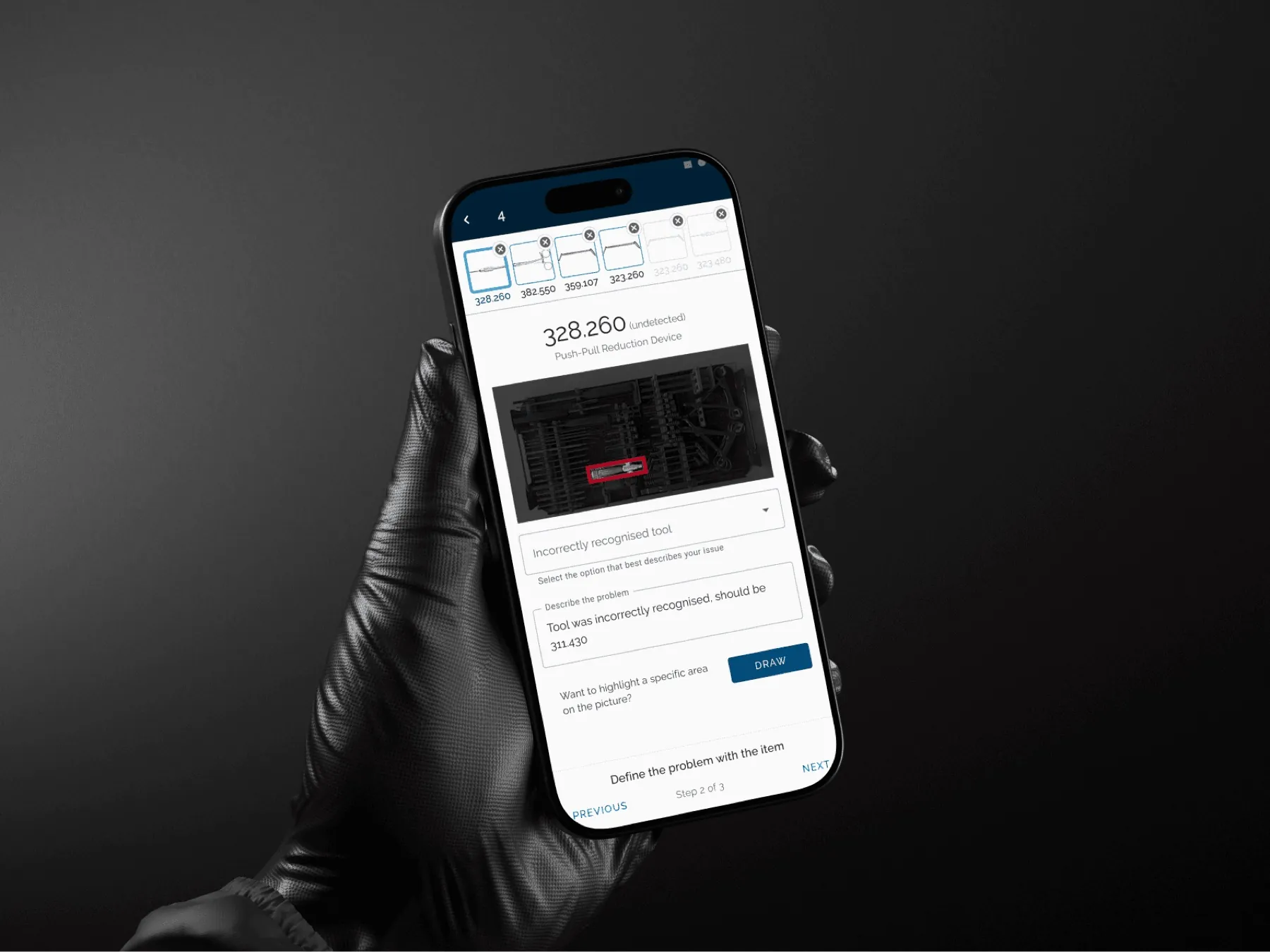
The design work focused on the mobile count workflow: identify the kit, review what’s missing, confirm the count, and recover from an interrupted scan.
The main interface decision was to keep the count status and recovery actions on screen, so the team didn’t have to switch between tools.
Our contribution: We designed the mobile workflow so the operating-room team could see kit identification, missing-item review, confirmation, and recovery states.
This case study documents our interface contribution and does not attribute operational outcomes to the design alone.